Guide
How to invite a friend or partner to your board

Lovie is a private space for two people, so the first thing to do is invite your person. It takes a moment and only needs to happen once.
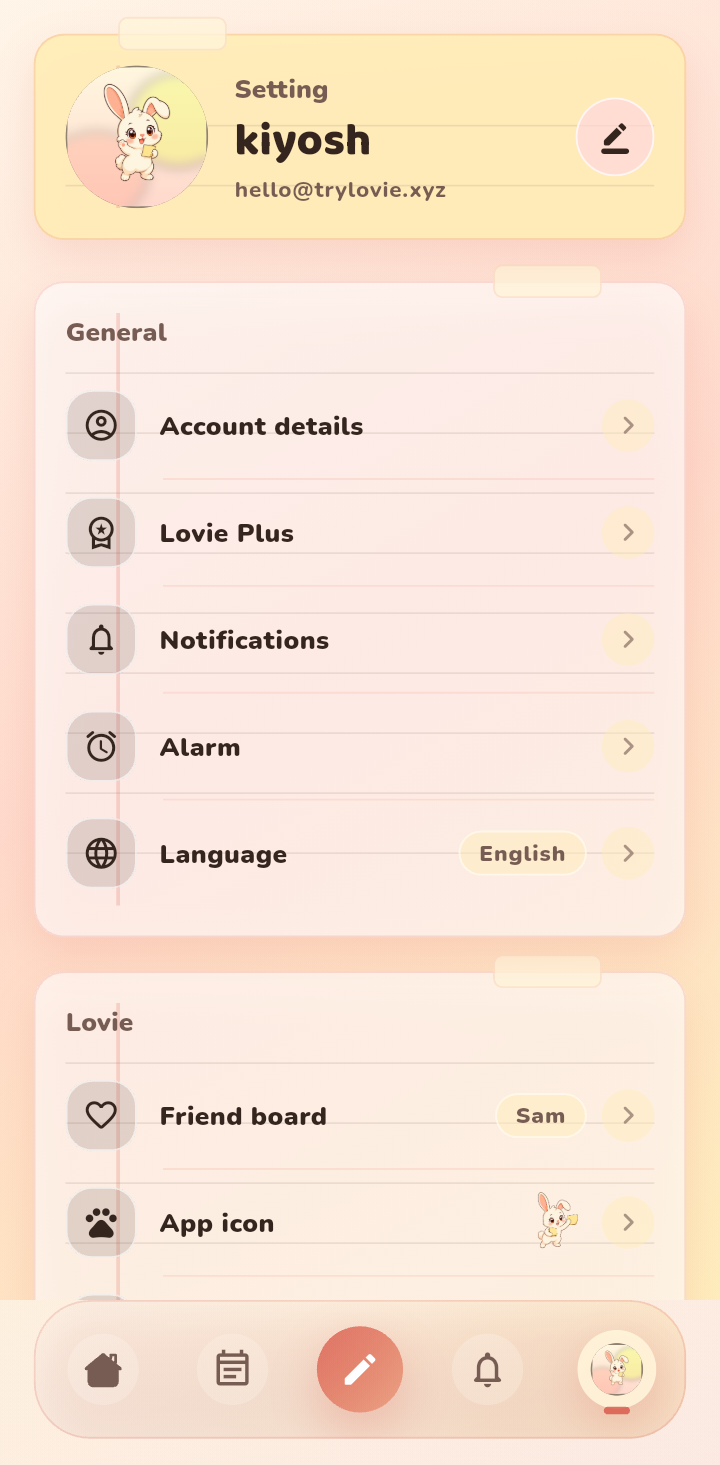
Step 1: Open your profile
Tap your avatar in the bottom right corner to open your profile. This is where your account and your board live.
Step 2: Open Friend board
Find the Friend board row. This shows who you are sharing with, or prompts you to invite someone if the board is still empty.
Step 3: Send the invite
Tap to generate your invite, then share the code or link through any app you like: a message, an email, or straight to the person in front of you. Send it only to the one person you want on your board.
Step 4: They accept, and you are connected
When your friend or partner opens the invite and accepts, your board goes live. Notes, sketches, and plans you add from then on appear for both of you.
Good to know
- Your board is private. Only the two of you can see what is on it.
- There is no public profile and nothing to follow. An invite is the only way in.
- If you ever want to leave a board, you can do that from the same profile screen.
Troubleshooting
If an invite does not work, check that it has not already been used and that the person signed in with the account they intend to keep. Each board links two accounts, so a fresh invite is the cleanest fix if something went wrong.
FAQ
Can more than two people join a board?
Lovie is designed for two people who want a private space together, so each board is shared by you and one other person.